
is now in public beta!
Published on: January 31, 2024
3 min read
Quick setup of a GKE Cluster with ArgoCD pre-installed using Terraform
Use this tutorial as a great starting point to manage your cluster entirely through GitOps.



This tutorial will walk you through setting up a Google Kubernetes Engine (GKE) Cluster with ArgoCD pre-installed, utilizing Terraform, in less than 10 minutes. This will be a great starting point to manage your cluster entirely through GitOps.
Prerequisites
- GCP account with permissions to provision a GKE Cluster
- Kubectl client v1.23.9
- Kubectl server v1.23.16-gke.1400
- Working knowledge of GKE
- Basic knowledge of ArgoCD
An overview of this tutorial is as follows:
- Set up the GitLab Terraform GKE ArgoCD Template
- Connect to your GKE Cluster
- Grab the ArgoCD Initial Admin Secret
- Log into ArgoCD
- Enjoy your Kubernetes Cluster with ArgoCD!
Set up the GitLab Terraform GKE ArgoCD template
Start by importing the example project by URL - https://gitlab.com/projects/new#import_project.
To import the project:
- In GitLab, on the top bar, select Main menu > Projects > View all projects.
- On the right of the page, select New project.
- Select Import project.
- Select Repository by URL.
- For the Git repository URL:
- Complete the fields and select Create project.
Add in your cloud credentials to CI/CD variables
- To authenticate GCP with GitLab, create a GCP service account with the following roles: Compute Network Viewer, Kubernetes Engine Admin, Service Account User, and Service Account Admin. Both User and Admin service accounts are necessary. The User role impersonates the default service account when creating the node pool. The Admin role creates a service account in the kube-system namespace.
- Download the JSON file with the service account key you created in the previous step.
- On your computer, encode the JSON file to base64 (replace /path/to/sa-key.json to the path to your key):
base64 -i /path/to/sa-key.json
- Use the output of this command as the BASE64_GOOGLE_CREDENTIALS environment variable in the next step.
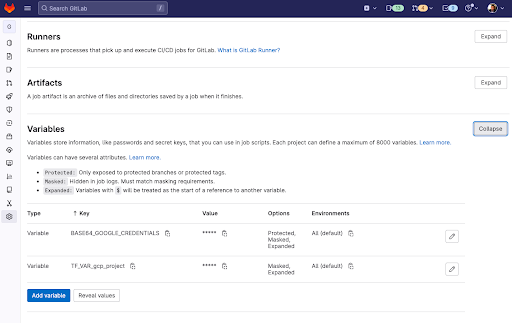
On the left sidebar, select Settings > CI/CD. Expand Variables. 5. Set the variable BASE64_GOOGLE_CREDENTIALS to the base64 encoded JSON file you just created. 6. Set the variable TF_VAR_gcp_project to your GCP’s project name.
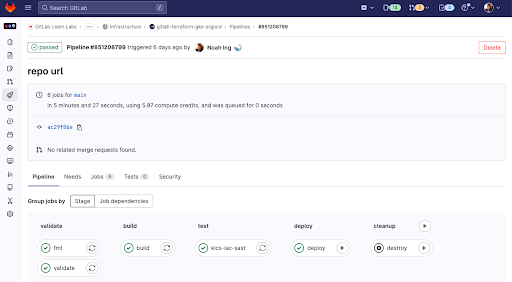
Run GitLab CI to deploy your Kubernetes cluster with ArgoCD Installed.
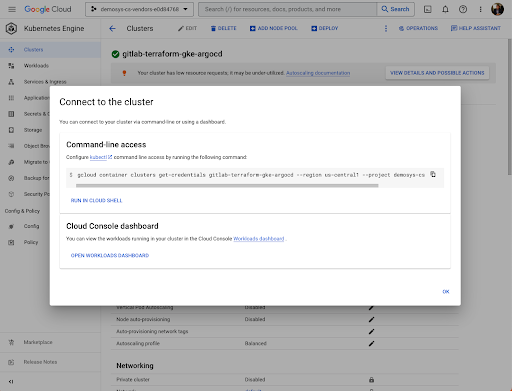
Connect to your GKE Cluster through your terminal using the following bash command.
gcloud container clusters get-credentials gitlab-terraform-gke-argocd --region us-central1 --project <project-name>
Expose the Initial Admin Secret through your terminal using the following bash command. Make sure you save this password for later.
kubectl -n argocd get secret argocd-initial-admin-secret -o jsonpath="{.data.password}" | base64 -d
Port Forward ArgoCD to your localhost 8080 through your terminal using the following bash command. Go to Chrome localhost:8080 afterwards.
kubectl port-forward svc/argocd-server -n argocd 8080:443
Enter your admin and Initial Admin Secret to the login page.
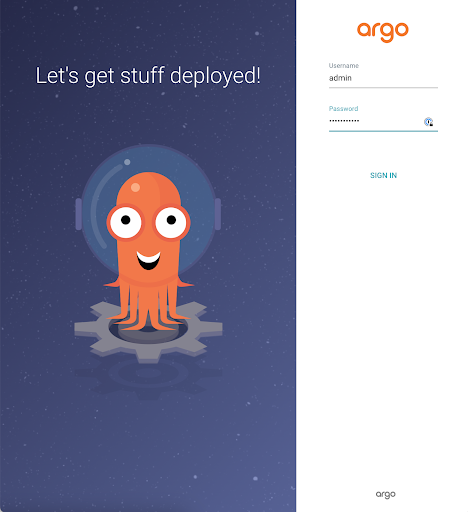
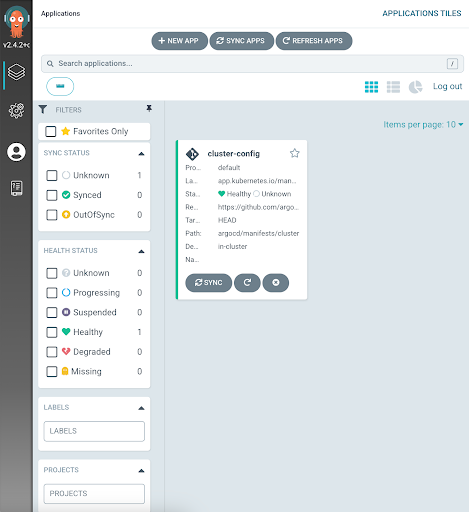
Voila! You've bootstrapped your GKE cluster with ArgoCD. Enjoy your GitOps!
Next steps
We recommend reviewing setting up Review Ops with ArgoCD!
References
Related posts
We want to hear from you
Enjoyed reading this blog post or have questions or feedback? Share your thoughts by creating a new topic in the GitLab community forum.
Share your feedback