
is now in public beta!
Published on: April 10, 2025
5 min read
Use GitLab Duo Workflow to improve application quality assurance
Learn step-by-step how to add unit tests to a Java application using agentic AI (includes a video tutorial).


Assuring the quality of your applications via test-driven design, good code coverage, and issue detection is critically important to your customers and your reputation, but it can also be a time-consuming endeavor. GitLab Duo Workflow, agentic AI built on top of the most comprehensive DevSecOps platform, can help you quickly complete development tasks such as adding unit tests to a Java application. This tutorial demonstrates how by using this sample Java project.
GitLab Duo Workflow is currently in private beta. Join the waitlist to see what’s possible with AI agents that understand your entire SDLC.
Opening your project in VS Code
- Open the Java project in Visual Studio Code (after cloning it to your local machine). Ensure that you’re in a feature branch (not the main or default branch) before you start. If you’re already working on a merge request, it will have its own associated feature branch.
- (This step is optional.) Navigate to the file that defines the Java class for which you’d like to have GitLab Duo Workflow create unit tests. Inspect it so that you can later confirm that the generated unit tests do cover its class members. This is what you would see:
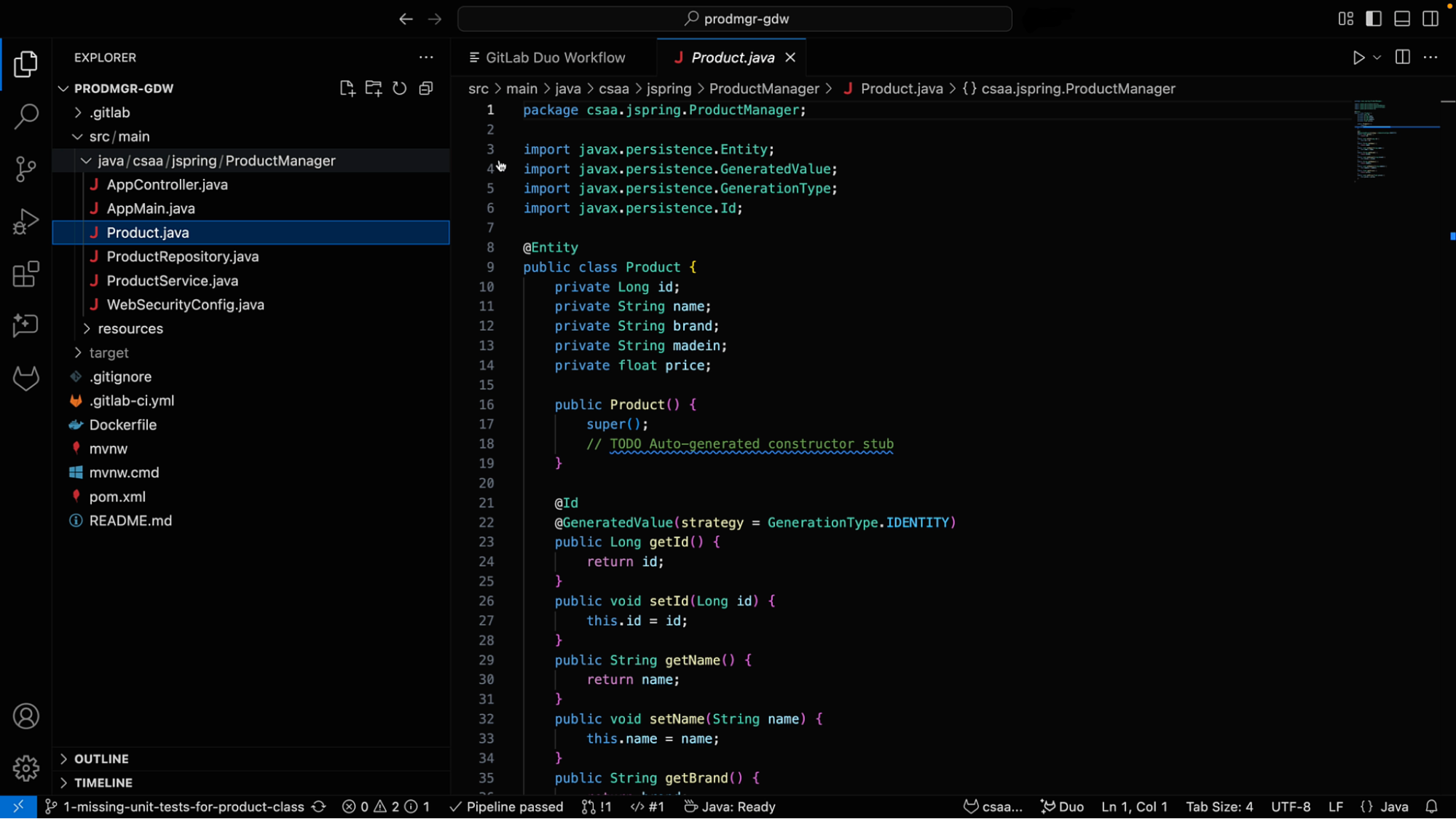
Note: We are assuming that you already enabled the GitLab Duo Workflow extension in your VS Code. If not, please refer to the setup documentation.
- Launch GitLab Duo Workflow by opening the VS Code command palette Ctrl + Shift + P and entering "GitLab Duo Workflow" in it and selecting GitLab: Show Duo Workflow. A tab will appear that looks like this:
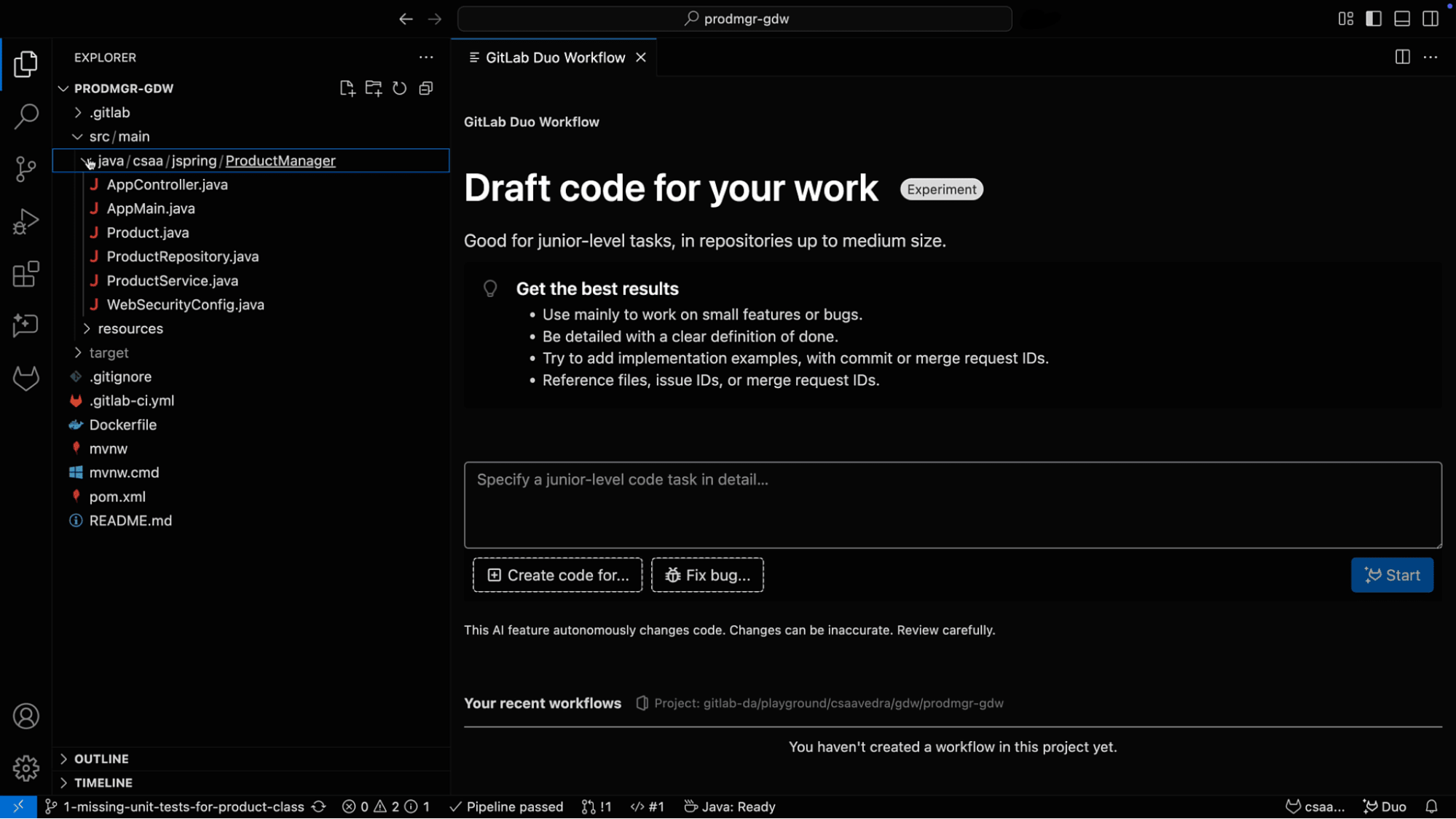
- The next step is to add tests for the default constructor, the verification of the object creation, and the initial state of the properties of the Product class. To accomplish this, enter the following prompt in the text area in GitLab Duo Workflow:
Create unit tests for class defined in the Product.java file and store the unit tests in its own file titled ProductTest.java

- Click the Start button in the GitLab Duo Workflow window. Two new windows will appear: one in the center of the screen and one to the right. The one on the right displays the analysis that GitLab Duo Workflow is performing to come up with a plan that will achieve the goal as specified in your prompt. The plan is displayed in the center window. After the analysis and the plan are finished, you should see an output like this:
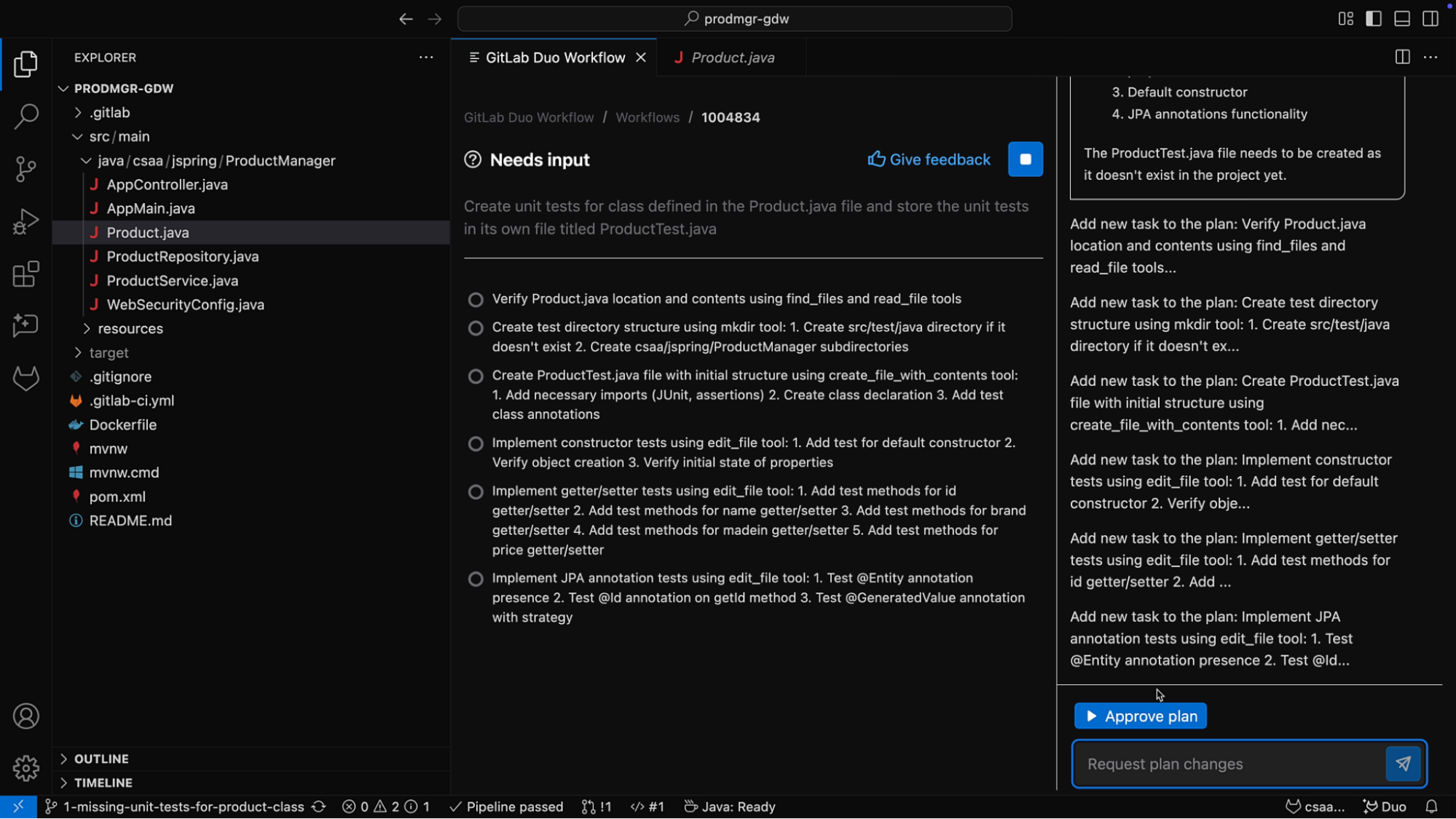
- Review the analysis and plan and, if you are satisfied with them, click Approve plan at the bottom of the window.
- GitLab Duo Workflow will start executing the approved plan and making modifications to your project accordingly.
- Once the execution of the plan is finished, you will see a new directory
src/test/java/csaa/jspring/ProductManagerin the project with a new file in it namedProductTest.java, which contains all the unit tests for theProduct.javaclass.
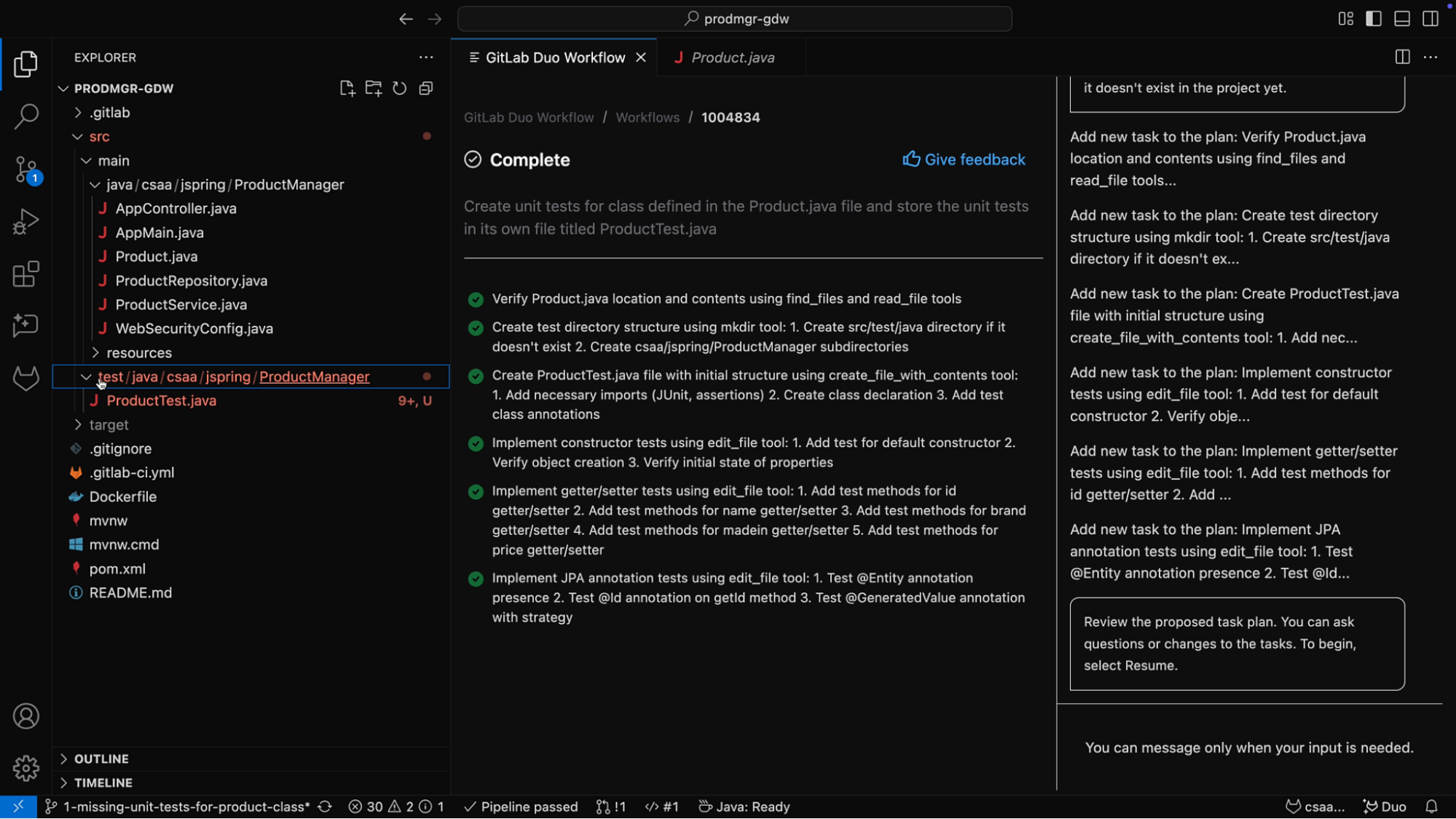
- Navigate to the newly created file
ProductTest.javaand you will see that it has some import statements underlined in red indicating some import errors:
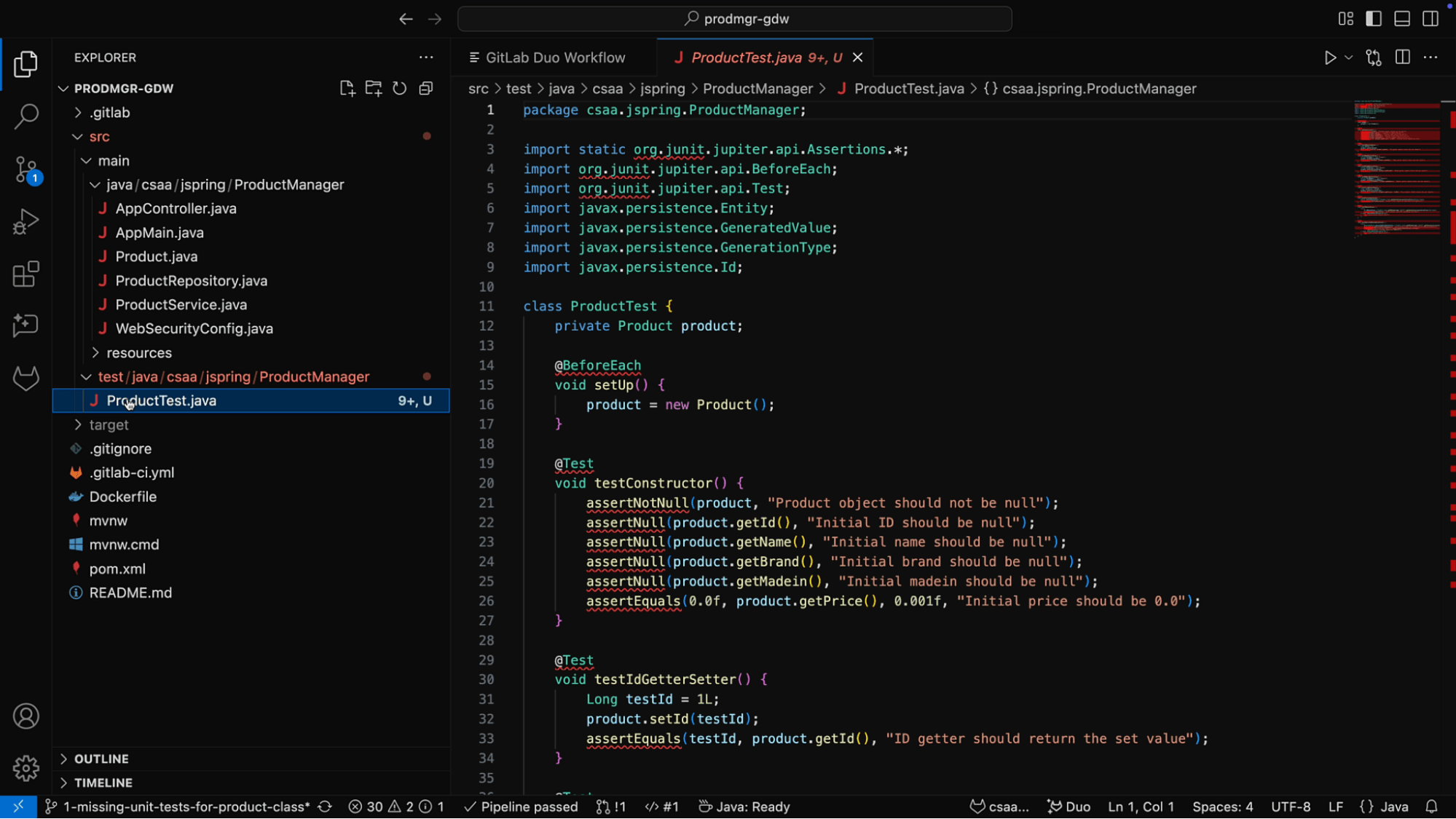
Let’s have GitLab Duo Workflow fix these for us.
Note: We could have also asked GitLab Duo Workflow in our first prompt to update the pom.xml file accordingly. But since we didn’t, let’s fix these errors in a new workflow.
Launching a GitLab Duo Workflow to fix errors in generated code
- Start a new workflow by clicking on the New workflow button at the bottom of the analysis window on the right side of your screen.
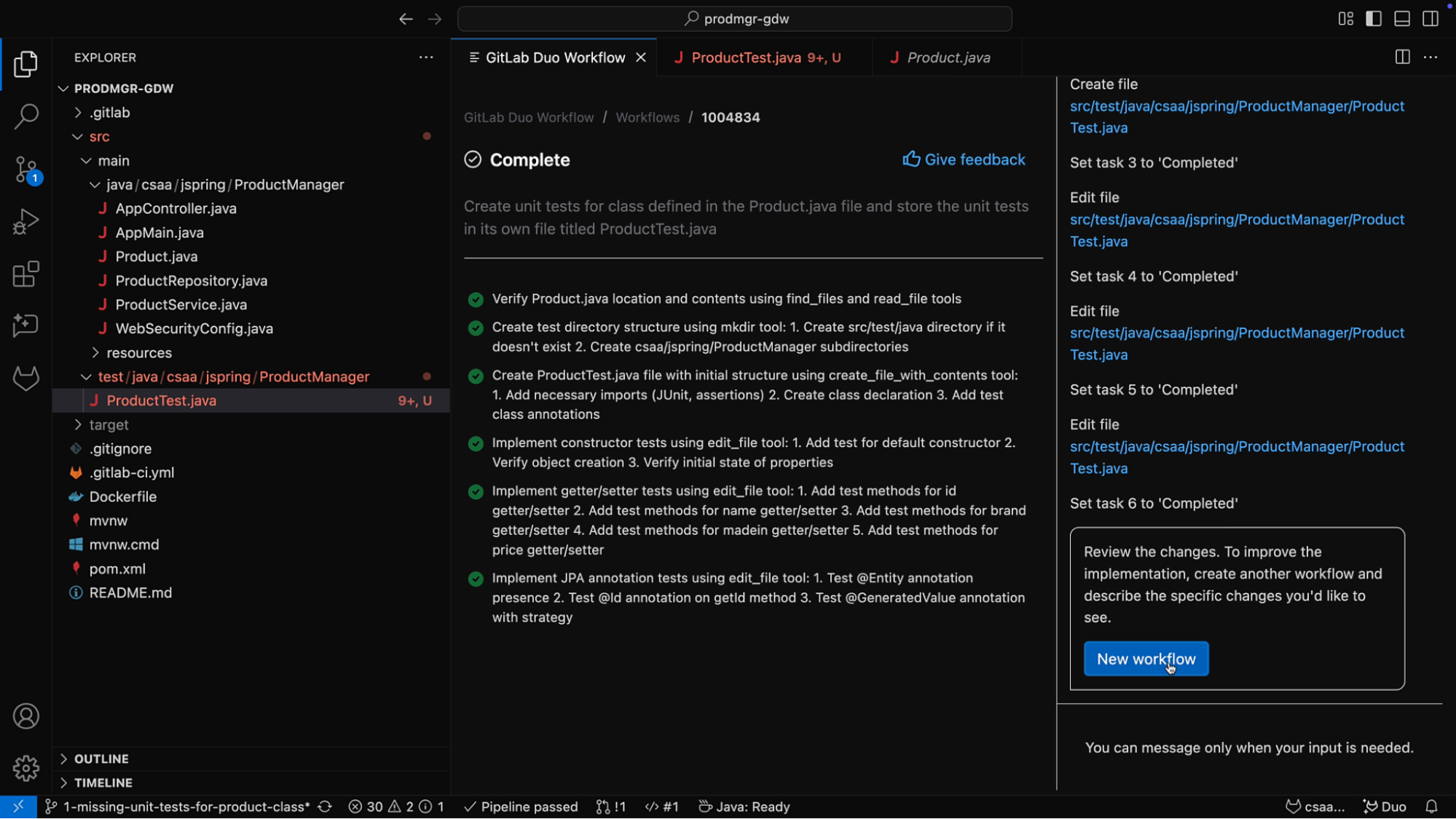
- In the prompt text area, enter the following:
The file ProductTest.java has an error “The import org.junit cannot be resolved”. Please fix it
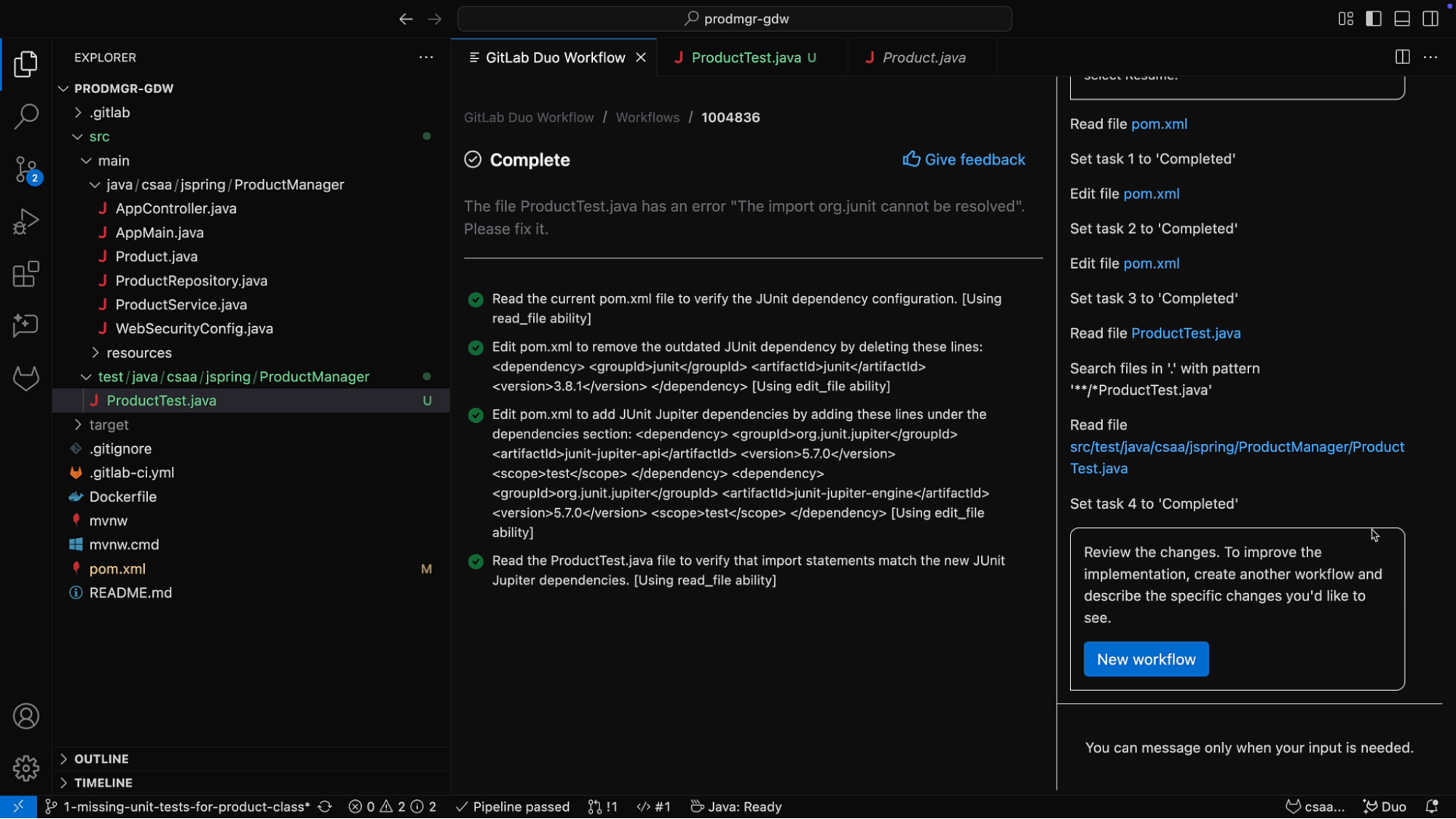
- After you approve the proposed plan, GitLab Duo Workflow starts its analysis by reading the current
pom.xmlfile. It then edits it and removes the outdated JUnit dependency, and follows that with the addition of the correct dependency and version for JUnit. Lastly, it reads theProductTest.javafile to clear all the dependency errors.
Watch the tutorial
Through the execution of this plan, GitLab Duo Workflow is effectively making updates to the project to achieve what was requested in the prompt, saving time and effort, and increasing productivity so that developers can spend more time innovating and creating value for their organization.
If you’d like to see what you read above in action, watch the following video:
Sign up for the GitLab Duo Workflow private beta waitlist to see what’s possible with AI agents that understand your entire SDLC.
Read more about GitLab Duo Workflow and agentic AI
We want to hear from you
Enjoyed reading this blog post or have questions or feedback? Share your thoughts by creating a new topic in the GitLab community forum.
Share your feedback